| Lesson 2 | What is SQL? |
| Objective | Understand what SQL is and how it was conceived. |
What Is SQL and How Was It Conceived?
Structured Query Language (SQL) is the standard language for working with data in relational databases. Instead of writing step-by-step programs, you describe the data you want, and the database engine figures out how best to return it.
In other words, SQL is a declarative, set-based language designed so that:
- You describe what data you need.
- The database decides how to find it efficiently.
From SEQUEL and System R to Modern SQL
SQL did not appear by accident. It grew out of early research at IBM into how data could be stored and queried using a mathematical foundation called the relational model, proposed by Edgar F. Codd in 1970.
Key milestones in SQL’s origin story:
- Early 1970s – System R At IBM’s San Jose Research Laboratory, a team built an experimental relational database called System R. Donald D. Chamberlin and Raymond F. Boyce designed a high-level query language to interact with System R.
- SEQUEL – Structured English Query Language That experimental language was called SEQUEL (Structured English Query Language). Its goal was to let users query data using a syntax that read somewhat like English.
- From SEQUEL to SQL The name SEQUEL had trademark conflicts, so IBM shortened it to SQL. The pronunciation “sequel” remained common, but the official name became Structured Query Language.
- Late 1970s – Commercialization Relational Software, Inc. (later Oracle Corporation) saw the commercial potential and released one of the first SQL-based products, Oracle V2, in 1979.
- 1980s and beyond – Standardization SQL was adopted as an ANSI and ISO standard and has been extended multiple times. Modern systems (Oracle Database, SQL Server, PostgreSQL, MySQL, MariaDB, DB2, and cloud databases) all support SQL, adding their own extensions on top of the core standard.
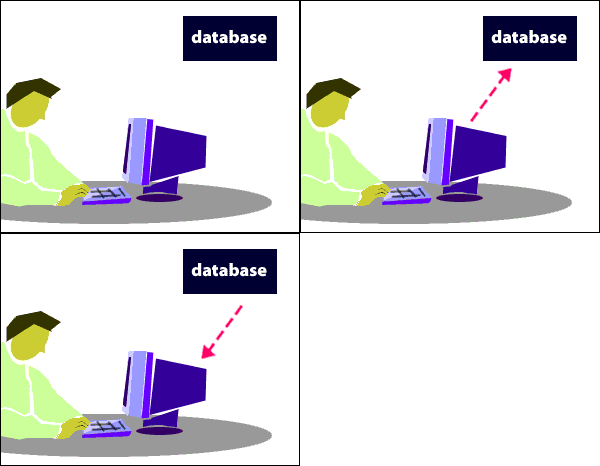
Today, SQL is everywhere: powering transactional systems, analytics platforms, reporting tools, data warehouses, and many cloud-native services.
What SQL Actually Does
SQL is not a general-purpose programming language. Instead, it focuses on a few core tasks that every relational database must support:
- Data definition (DDL) – Defining structures
CREATE TABLE,ALTER TABLE,DROP TABLECREATE VIEW,CREATE INDEX, and related statements
- Data manipulation (DML) – Working with data
SELECT– Query dataINSERT,UPDATE,DELETE– Modify data
- Data control (DCL) and transaction control
GRANT,REVOKE– Control accessCOMMIT,ROLLBACK– Manage transactions
A simple SQL query might look like this:
SELECT  first_name,
        last_name,
        salary
FROM    Employees
WHERE   salary > 50000;
You describe the result set (columns and conditions), and the database decides whether to use an index, how to join tables, and which physical operations to apply.
SQL and Its Relationship with Relational Algebra
SQL is deeply influenced by relational algebra, which defines a small set of mathematical operations on tables (relations).
Core relational algebra ideas reflected in SQL:
- Selection – Choose rows that match a condition
→ SQL:
WHEREclause - Projection – Choose specific columns
→ SQL: column list in
SELECT - Join – Combine related rows from multiple tables
→ SQL: various
JOINforms - Set operations –
UNION,INTERSECT,EXCEPT/MINUS
For teaching, relational algebra is valuable because each operation is written as its own step, making the underlying logic explicit. SQL combines many of these ideas into a single statement, making it more practical for day-to-day use but slightly less “pure” from a theoretical perspective.
Modern SQL follows the spirit of the relational model while also including pragmatic extensions (window functions, common table expressions, JSON support, procedural logic, etc.) driven by real-world needs.
Why SQL Is Called a Declarative Language
SQL is often described as declarative because you specify the desired result, not the algorithm used to compute that result.
Consider this example:
SELECT  name
FROM    Employees
WHERE   department = 'Sales';
You do not tell the database:
- Which index to use
- Which join order to choose
- How many buffers to allocate
Instead, the query optimizer inside the RDBMS chooses a plan based on statistics, indexes, and available paths. That separation of what (your query) from how (the execution plan) is the hallmark of declarative SQL.
Another example of a set-based, declarative operation:
UPDATE  Orders
SET     status = 'Processed'
WHERE   status = 'Pending';
This statement tells the database which rows should change and how they should change, but not whether it should use an index, a full scan, or a particular loop structure.
Many databases also offer procedural extensions (PL/SQL, T-SQL, PL/pgSQL) that let you write loops and control flow. Those extensions are imperative, but the core SQL query language remains declarative.
How SQL Is Used in Modern Systems
Although SQL was conceived in the 1970s, it remains central to modern data platforms:
- Transactional systems (OLTP) – Order processing, banking, inventory, and line-of-business applications.
- Analytics and reporting (OLAP) – Dashboards, business intelligence, and ad-hoc analysis.
- Cloud and distributed systems – Managed database services and distributed SQL engines.
- Data warehousing and lakehouses – Large-scale query engines that still expose SQL as the primary interface.
Understanding how SQL was conceived—as a relational, set-based, declarative language—helps you:
- Write clearer, more efficient queries.
- Take advantage of the optimizer instead of fighting it.
- Recognize why relational design and SQL syntax fit together so naturally.
In the next lesson, you will begin working with concrete SQL examples to see these concepts in action.