FETCH and Cursor Navigation in SQL Server 2025
Objective: Fetch rows safely and choose navigation operations supported by the cursor.
FETCH retrieves a row from an open cursor. A FAST_FORWARD cursor supports NEXT only. For the scrolling examples below, explicitly declare a LOCAL SCROLL STATIC READ_ONLY cursor.
Navigate a stable, ordered result
After the Lesson 2 setup, run this complete batch. Each FETCH returns a result row to your SQL client.
DECLARE employee_scroll CURSOR LOCAL SCROLL STATIC READ_ONLY
FOR SELECT EmployeeID, EmployeeName
    FROM #Employees ORDER BY EmployeeID;
OPEN employee_scroll;
FETCH FIRST FROM employee_scroll;       -- 101, Ana
FETCH ABSOLUTE 2 FROM employee_scroll;  -- 102, Ben
FETCH LAST FROM employee_scroll;        -- 103, Chen
FETCH PRIOR FROM employee_scroll;       -- 102, Ben
FETCH RELATIVE -1 FROM employee_scroll; -- 101, Ana
CLOSE employee_scroll;
DEALLOCATE employee_scroll;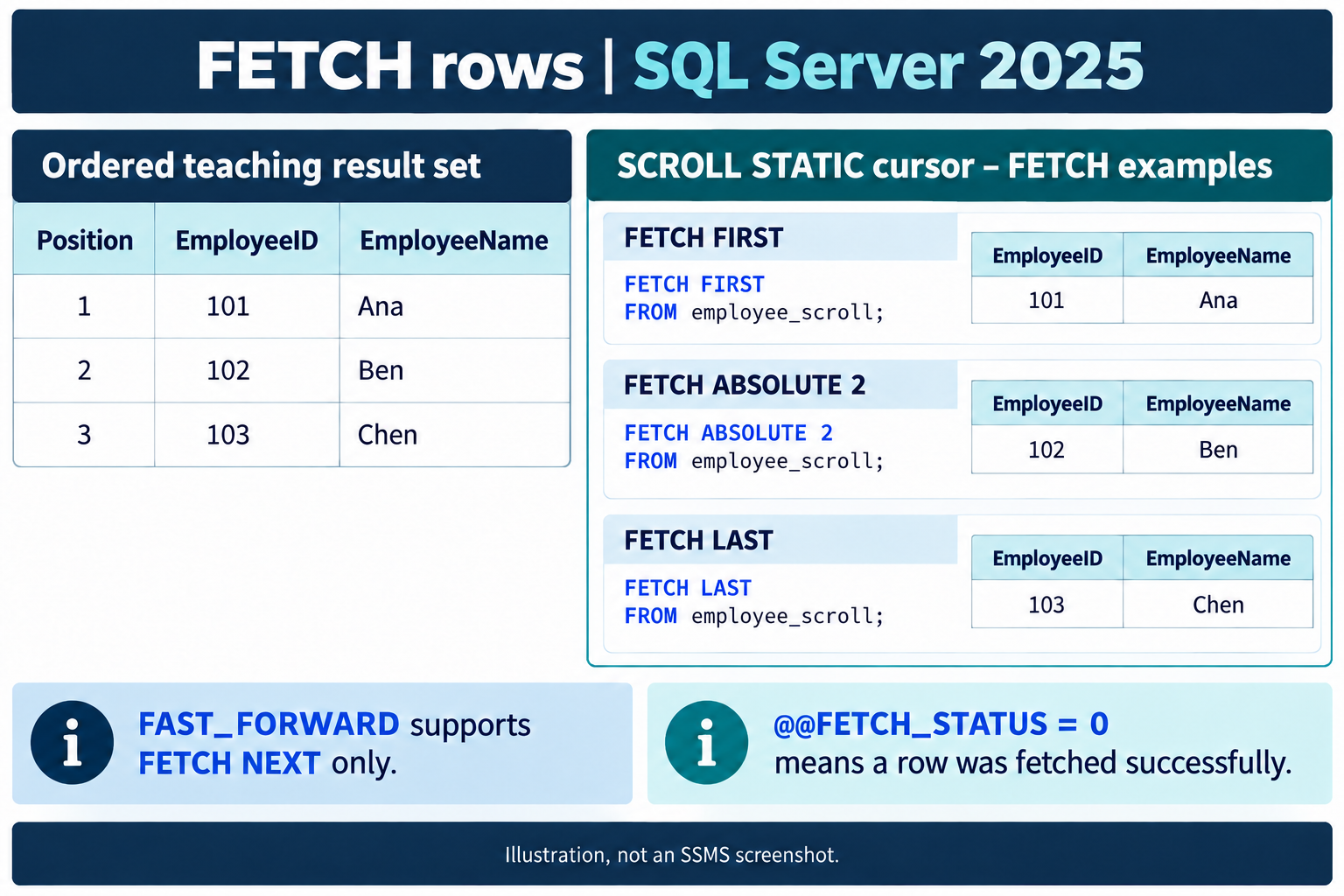
Choose an allowed FETCH direction
| Operation | Meaning |
|---|---|
| NEXT | Move forward one row; the first NEXT after OPEN reaches row 1. |
| PRIOR | Move back one row. |
| FIRST / LAST | Move to an end of the result. |
| ABSOLUTE n | Choose a position from the beginning when positive, or from the end when negative. |
| RELATIVE n | Move by an offset from the current position. |
Use FETCH ABSOLUTE 2, not function-call syntax such as ABSOLUTE(2). DYNAMIC SCROLL does not support ABSOLUTE. READ_ONLY does not limit a cursor to forward movement; scrolling and updateability are separate options.
Fetch into variables and test immediately
After declaring the Lesson 6 FAST_FORWARD cursor, use:
DECLARE @EmployeeID int, @EmployeeName nvarchar(50);
OPEN employee_cursor;
FETCH NEXT FROM employee_cursor INTO @EmployeeID, @EmployeeName;
WHILE @@FETCH_STATUS = 0
BEGIN
    PRINT CONCAT(@EmployeeID, N': ', @EmployeeName);
    FETCH NEXT FROM employee_cursor INTO @EmployeeID, @EmployeeName;
END;
CLOSE employee_cursor;
DEALLOCATE employee_cursor;
The INTO variables match the SELECT columns in number, order, and compatible data types. Process them only after a successful fetch; do not treat their old values as a new row when a fetch fails.
@@FETCH_STATUS reports the latest FETCH on the connection: 0 means success, -1 means failure or beyond the result, and -2 means a missing row. A called procedure that fetches another cursor can overwrite it. Test or save the status before calling code that can fetch elsewhere. This simple loop stops on any nonzero result; a keyset workflow that must skip deleted rows needs an explicit -2 policy.
@@CURSOR_ROWS concerns the last opened cursor and is not always a usable positive total. It is not a replacement for the fetch-status test.
Practice with the declaration and fetching exercise.