| Lesson 4 | One-to-one relationships, part 1 |
| Objective | Define 1:1 relationships and show when and how to implement them. |
One-to-One Relationships in ER Modeling
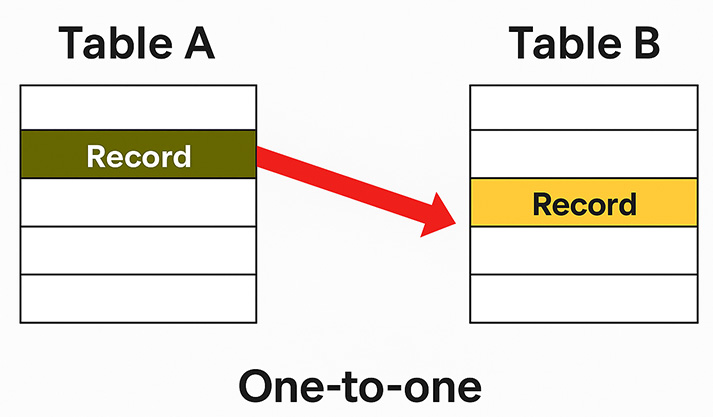
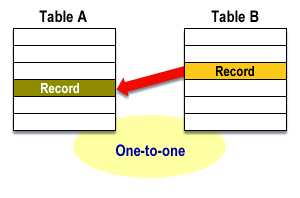
A one-to-one (1:1) relationship links at most one instance of entity A with at most one instance of entity B—and vice versa. True 1:1 is less common than 1:N, but it’s valuable for:
- Data segmentation: Split infrequently used or sparse attributes into a separate table to keep the base row narrow.
- Security/privacy: Isolate sensitive columns (e.g., PII, PHI) under tighter permissions/audit.
- Lifecycle separation: Manage creation/deletion independently (e.g., not all users have a premium profile).
- Performance/IO: Reduce reads on hot tables; move cold or bulky LOBs elsewhere.
Key characteristics
- Uniqueness on both sides: Each row in A relates to at most one row in B, and each row in B relates to at most one row in A.
- Primary key usage: Implement via a shared primary key (PK in B = PK in A and FK to A) or via a unique foreign key (FK in B is
UNIQUE). - Optionality: Either side may be optional (0..1). Model this with a nullable FK; mandatory participation uses
NOT NULL.
How 1:1 Looks in Diagrams
Implementation Patterns
Choose one based on ownership, optionality, and access patterns.
- Shared primary key (tight coupling)
-- A exists before B; B shares A's key
CREATE TABLE A (
  A_ID INT PRIMARY KEY,
  ... -- base attributes
);

CREATE TABLE B (
  B_ID INT PRIMARY KEY,
  ... -- segmented/sensitive attributes
  CONSTRAINT fk_b_a
    FOREIGN KEY (B_ID) REFERENCES A(A_ID)
);
Pros: simplest uniqueness guarantee; fewer indexes. Cons: strict lifecycle coupling.
- Unique foreign key (looser coupling)
CREATE TABLE A (
  A_ID INT PRIMARY KEY,
  ...
);

CREATE TABLE B (
  B_ID INT PRIMARY KEY,
  A_ID INT UNIQUE,      -- ensures at most one B per A
  ...,
  CONSTRAINT fk_b_a UNIQUE (A_ID),
  CONSTRAINT fk_b_a_ref FOREIGN KEY (A_ID) REFERENCES A(A_ID)
);
Pros: allows B to have its own surrogate key; flexible migrations. Cons: requires both UNIQUE and FK constraints.
Where to put the FK?
- Mandatory on B, optional on A: Put the FK in B and make it
NOT NULL. - Optional on both sides: Put the FK on the smaller or colder table to save space and IO.
- Mandatory on both sides: Either side can host the FK; enforce creation order in code/transactions.
Real-World Use Cases
- User & Authentication:
User(UserID)↔UserAuth(UserID, PasswordHash, MFA...)(privacy, audit). - Employee & HR Profile: Split confidential compensation/benefits from general HR data.
- Entity & Settings: Optional per-entity configuration without polluting the base table with many nullable columns.
- Document & Blob: Keep large LOBs in a companion table to avoid bloating the hot row.
Connectivity and Cardinality Notes
Connectivity indicates one or many per side; 1:1 means “one” on both sides. The cardinality (actual counts) can vary by instance, but constraints enforce the upper bound. Optionality (0 or 1) is modeled via nullable FKs; mandatory (1) via NOT NULL plus referential integrity.
Be careful not to model a disguised 1:N as 1:1. If, over time, multiple B rows per A appear, your 1:1 will be violated—check business rules and sample data.
The next lesson continues with additional 1:1 design nuances and edge cases.