| Lesson 7 | The relational database management system |
| Objective | What are the functions of an RDBMS? |
Relational Database Management System
A database management system (DBMS) is the software layer that sits between:
A relational database management system (RDBMS) is a DBMS that implements the relational model. In an RDBMS, the query language is typically SQL, used for both:
- the physical database files on disk, and
- the people and applications that need to store, retrieve, and protect data.
- Database engine (kernel code): manages memory, storage, caching, and low-level I/O.
- Metadata repository (data dictionary): stores definitions of tables, columns, keys, constraints, indexes, and privileges.
- Query language: allows users and applications to define structures and interact with data.
A relational database management system (RDBMS) is a DBMS that implements the relational model. In an RDBMS, the query language is typically SQL, used for both:
- DDL (Data Definition Language): defining tables, keys, constraints, indexes, and views.
- DML (Data Manipulation Language): inserting, updating, deleting, and querying rows.
What functions does an RDBMS provide?
Modern RDBMS products (Oracle, SQL Server, PostgreSQL, MySQL, and others) provide a consistent set of functions. The images below illustrate a practical workflow: create structures, access data, change data, protect data, and support reporting.
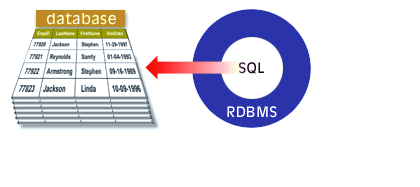
The RDBMS uses SQL to create the database schema: tables, columns, primary keys, foreign keys, constraints, indexes, and views. These definitions are stored in the data dictionary so the engine can enforce rules consistently.
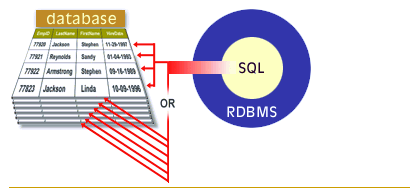
The RDBMS provides set-based querying (SELECT) and join processing so users can answer questions that span multiple tables. Internally, the query optimizer chooses an efficient plan using indexes, statistics, and join strategies.
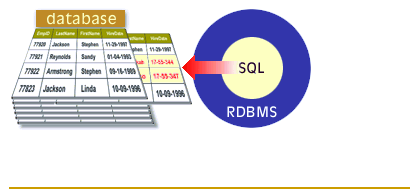
The RDBMS supports INSERT, UPDATE, and DELETE and wraps these changes in transactions. Transactions preserve correctness through ACID behavior (atomicity, consistency, isolation, durability), using logging and recovery to keep the database consistent even after failures.
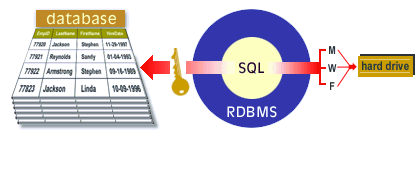
An RDBMS authenticates users, authorizes actions (roles/privileges), and can audit access. It also includes backup and recovery utilities so data can be restored after user error, corruption, or hardware/software failure.
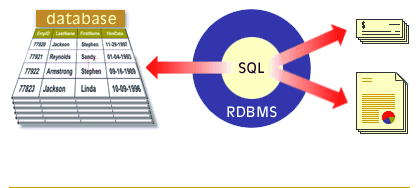
RDBMS products commonly ship with tools for administrators and developers (management consoles, import/export utilities, performance monitoring, job scheduling, and reporting integrations). These tools do not replace SQL; they build on it.
Key RDBMS functions you should remember
When you are asked “What are the functions of an RDBMS?”, a strong, practical answer includes the following capabilities:
- Data storage and organization: store data in tables with defined datatypes and constraints.
- Query processing and optimization: parse SQL and execute it efficiently using indexes and statistics.
- Transaction management: commit/rollback and ACID reliability using logging and recovery.
- Concurrency control: support many users at once without corrupting data (locks/MVCC).
- Integrity enforcement: primary keys, foreign keys, UNIQUE, NOT NULL, and CHECK constraints.
- Security: authentication, authorization, and (often) auditing and encryption features.
- Backup and recovery: restore data to a consistent point in time after failures or mistakes.
- Metadata management: maintain a data dictionary that describes the schema and its rules.
- Data abstraction: allow users to work with logical structures while the engine manages physical storage details.
Data abstraction and application flexibility
One reason relational systems replaced earlier hierarchical and network systems is that they improved data abstraction and
data independence. Applications can issue high-level SQL queries without hard-coding physical record navigation.
As requirements change, the database can often be reorganized (indexes, storage layout, partitions, new views) with minimal impact
on how users query the data.
This is why SQL and the RDBMS engine are treated as the “core” of most database applications: they provide a stable contract between evolving storage and evolving business questions.
This is why SQL and the RDBMS engine are treated as the “core” of most database applications: they provide a stable contract between evolving storage and evolving business questions.
RDBMS - Exercise
Before moving on to the next lesson, click the Exercise link below to check your knowledge of the functions of an RDBMS.
RDBMS - Exercise
RDBMS - Exercise
[1]Data abstraction: The practice of presenting a simplified logical view of data while the DBMS manages the underlying physical storage and access methods.
[2]Data independence: The ability to change the database design at one level (physical or logical) without requiring changes at the next higher level that users and applications depend on.